HTTP Request
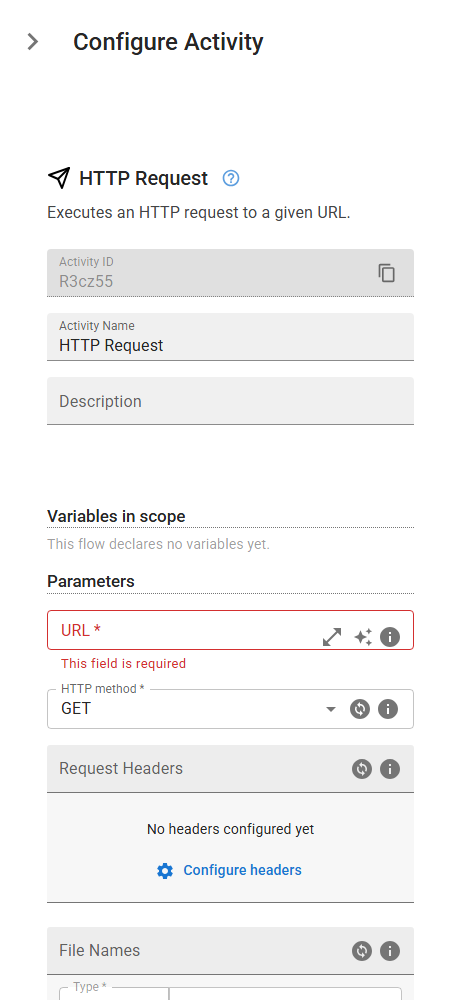
Executes an HTTP request to a given URL.
Category: API & HTTP Communication · Group: General · Activity name: HttpRequest
Example
outputVariable = HttpRequest("<url>", "GET", extraHeaders={}, multipartNames=[], multipartData=[], debugInput=False)
Inputs
| Name | Type | Required | Default | Description |
|---|---|---|---|---|
| URL | string | Yes | The web address where the request is sent. | |
| HTTP method | string | Yes | GET | Specifies the type of action to perform (e.g., GET, POST, PUT, DELETE). One of: GET, POST, PUT, DELETE. |
| Request Headers | object | Define extra headers to be added to the request | ||
| File Names | array | This is the list of file paths linked to the corresponding multipart names. Each file path must match its respective filename in the 'Multipart Filenames' list to ensure proper processing in the request. | ||
| File Paths | array | This is the list of file paths that must be linked to their corresponding filenames and used in the request. Ensure that each file path matches the appropriate filename from the 'Multipart Filenames' list for accurate processing. | ||
| Log the input/ouput of the request | boolean | False | Check this box if you wan to log the input/output of the request. |
Outputs
| Name | Type | Description |
|---|---|---|
| outputVariable | json | Specifies the name of the variable that will store the result. |