Send NTLM email
Sends an email using NTLM authentication (Windows only).
Category: Email Communication · Group: Desktop · Activity name: SendNtlmEmail
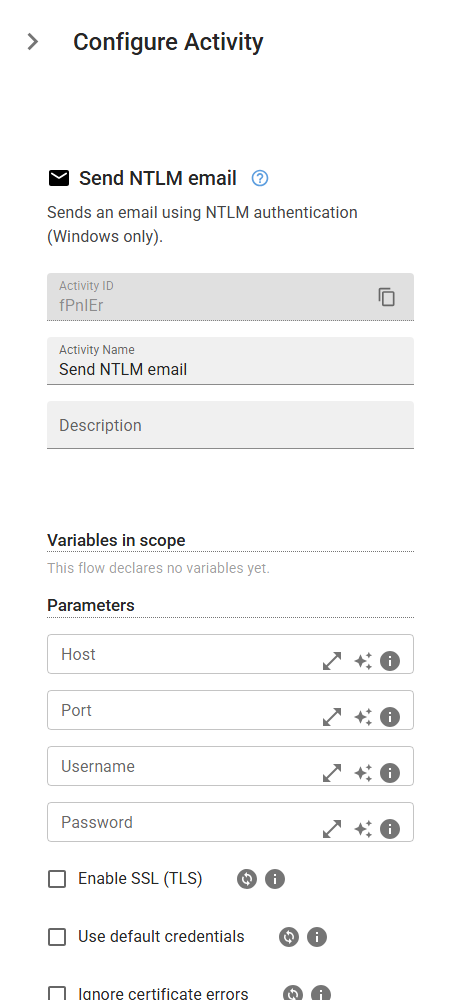
Example
SendNtlmEmail("<from>", host="<host>", port=0, username="<username>", password="<password>", enableSsl=True, useDefaultCredentials=False, ignoreCertificateErrors=False, to=[], cc=[], bcc=[], subject="<subject>", body="<body>", attachments=[], sendEmailAsHtml=True, bodyTemplateFilePath="<bodyTemplateFilePath>", tokens={})
Inputs
| Name | Type | Required | Default | Description |
|---|---|---|---|---|
| Host | string | Host | ||
| Port | integer | Port | ||
| Username | string | Username | ||
| Password | string | Password | ||
| Enable SSL (TLS) | boolean | Enable SSL (TLS) | ||
| Use default credentials | boolean | False | Use default credentials | |
| Ignore certificate errors | boolean | False | Accept any TLS certificate from the SMTP server, including hostname mismatches, expired or untrusted chains. Only enable this for trusted internal mail gateways with known-broken certificates; it disables TLS validation for this send. | |
| From | string | Yes | From | |
| To recipients | array | To recipients | ||
| Cc recipients | array | Cc recipients | ||
| Bcc recipients | array | Bcc recipients | ||
| Subject | string | Subject | ||
| Body | string | Body | ||
| Attachments file paths | array | Attachments file paths | ||
| Send email as HTML | boolean | Send email as HTML | ||
| Body template file path | string | Body template file path | ||
| Tokens (Placeholders) | object | Tokens (Placeholders) |