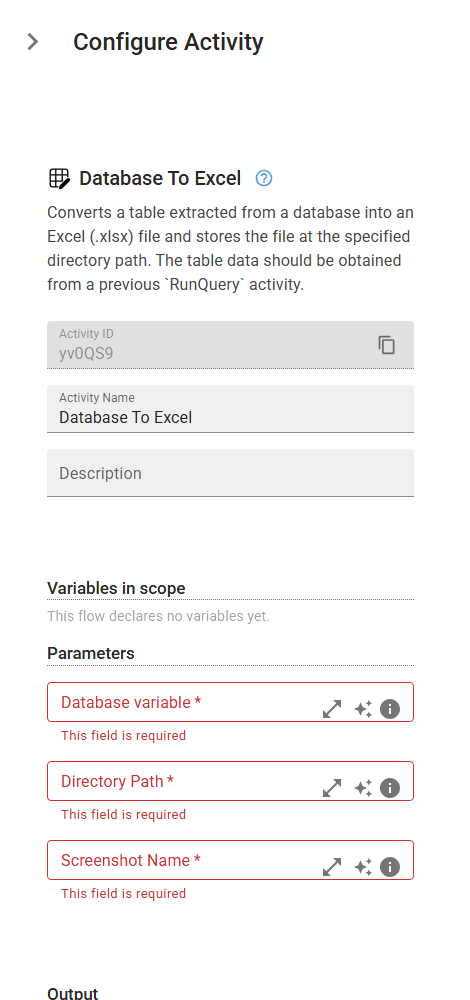
Database To Excel
Converts a table extracted from a database into an Excel (.xlsx) file and stores the file at the specified directory path. The table data should be obtained from a previous RunQuery activity.
Category: Structured Data Files (Excel, JSON, PDF) · Group: Files · Activity name: DatabaseToExcel
Example
outputVariable = DatabaseToExcel("", "<directoryPath>", optionalName="<optionalName>")
Inputs
| Name | Type | Required | Default | Description |
|---|---|---|---|---|
| Database variable | array | Yes | `` | The table data retrieved from a database, typically through a RunQuery activity. |
| Directory Path | string | Yes | The path to the directory where the Excel (.xlsx) will be saved. | |
| Screenshot Name | string | Yes | Optional. The desired name for the Excel (.xlsx) file. If not provided, a default name with a timestamp will be generated to ensure uniqueness. |
Outputs
| Name | Type | Description |
|---|---|---|
| outputVariable | string | Specifies the name of the variable that will store the Excel (.xlsx) path. |