Convert Excel to Table
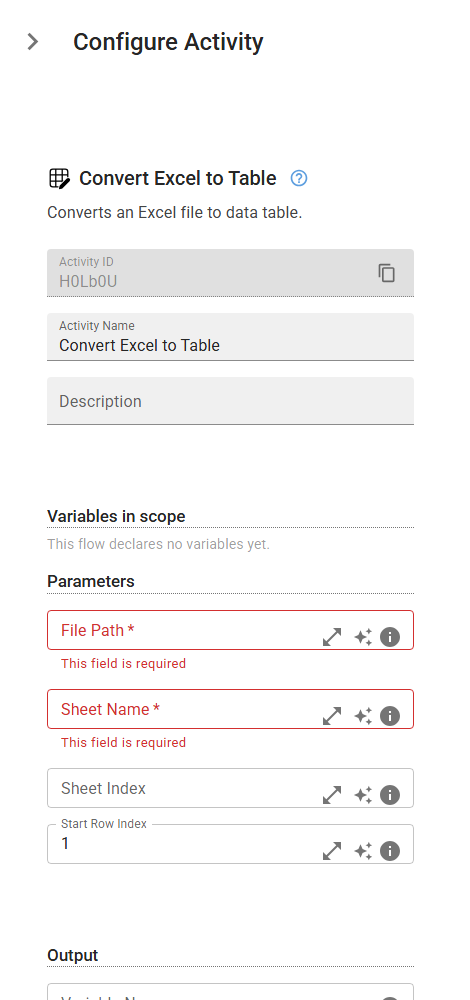
Converts an Excel file to data table.
Category: Structured Data Files (Excel, JSON, PDF) · Group: Data Processing · Activity name: ExcelToTable
Example
outputVariable = ExcelToTable("<filePath>", "<sheetName>", sheetIndex=0, rowToSkip=1)
Inputs
| Name | Type | Required | Default | Description |
|---|---|---|---|---|
| File Path | string | Yes | The path to your .xlsx file. | |
| Sheet Name | string | Yes | The name of the sheet to read the data table from. If specified, sheet index is ignored. If none specified, all data is extracted. | |
| Sheet Index | integer | The index of the sheet to read the data table from. Ignored when sheet name specified. If none specified, all data is extracted. | ||
| Start Row Index | integer | 1 | The index of the row from which the table reading should start (first row has index 1). If ignored it will start from the first row. |
Outputs
| Name | Type | Description |
|---|---|---|
| outputVariable | array | Specifies the name of the variable that will store the results. |