Merge PDFs
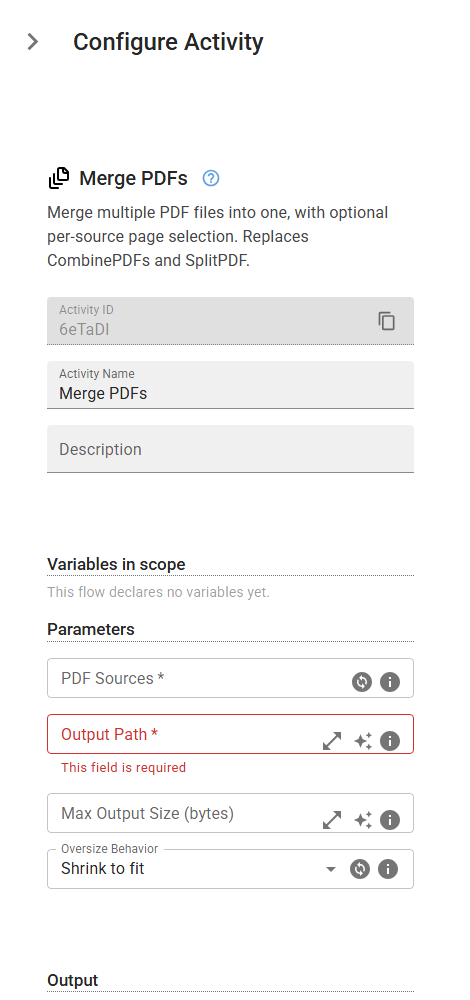
Merge multiple PDF files into one, with optional per-source page selection. Replaces CombinePDFs and SplitPDF.
Category: Structured Data Files (Excel, JSON, PDF) · Group: Files · Activity name: MergePDFs
Example
outputVariable = MergePDFs([], "<outputPath>", maxSize=0, oversizeBehavior="shrink")
Inputs
| Name | Type | Required | Default | Description |
|---|---|---|---|---|
| PDF Sources | array | Yes | List of PDF files to merge. Each source can specify page selection. | |
| Output Path | string | Yes | Path for the merged PDF file. | |
| Max Output Size (bytes) | integer | Maximum size of the merged PDF in bytes (e.g. 20971520 for 20 MB). 0 or empty for no limit. | ||
| Oversize Behavior | string | shrink | What to do when the merged PDF exceeds Max Output Size. Shrink: dedup + strip metadata, then JPEG-recompress to fit. Truncate: include as many pages as fit. Fail: raise an error. One of: shrink, truncate, fail. |
Outputs
| Name | Type | Description |
|---|---|---|
| outputVariable | string | Path to the merged PDF file. |