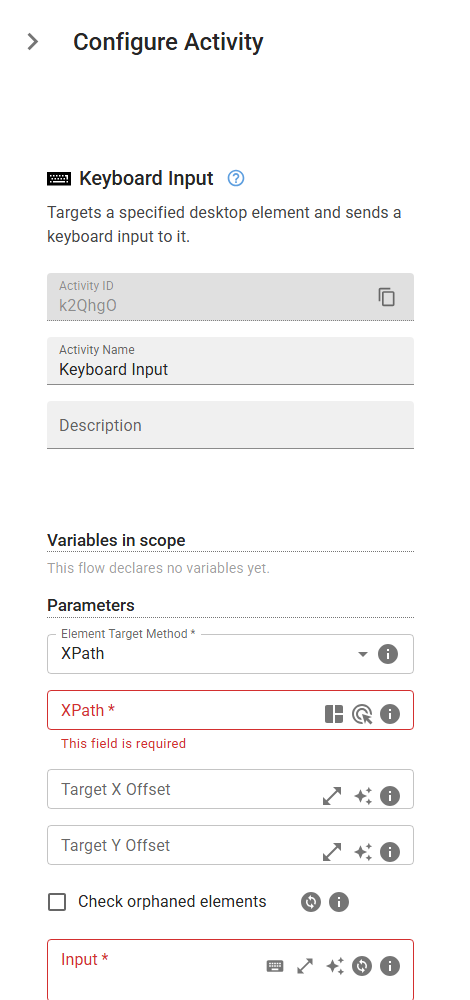
Keyboard Input
Targets a specified desktop element and sends a keyboard input to it.
Category: Desktop Application Automation · Group: Desktop · Activity name: KeyboardInput
Example
KeyboardInput("xPath", "<keysToSend>", writeSequentially=True)
Inputs
| Name | Type | Required | Default | Description |
|---|---|---|---|---|
| Element Target Method | string | Yes | xPath | Method to identify the desktop element. One of: xPath, referenceText, referenceImage, none. |
| Input | string | Yes | Text to type and/or key chords to press. Plain text is typed as-is (e.g. "hello world"). Key chords use Playwright-style notation: "Control+s" (Ctrl+S), "Alt+F4", "Control+Shift+s". Modifiers (case-insensitive): Control/Ctrl, Alt, Shift, Meta/Win/Cmd. The final key's case matters — lowercase = no Shift, uppercase adds Shift (e.g. "Control+s" is Ctrl+S, "Control+S" is Ctrl+Shift+S). You can mix chords and text in one field: "Alt+F4 hello". Legacy curly-brace form is still supported: "{Keys.Control + s + Keys.Control}". | |
| Simulate individual keypresses | boolean | If enabled, simulates typing by sending individual keydown and keyup events for each character in the text. |