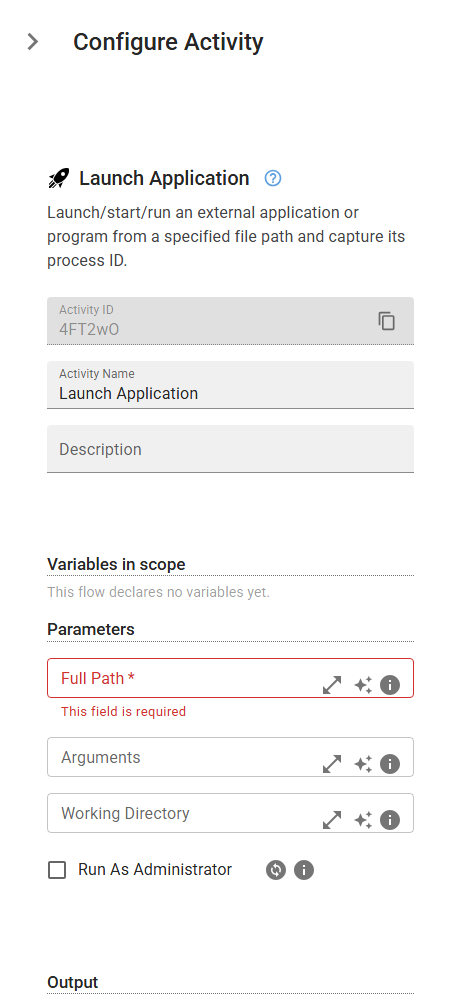
Launch Application
Launch/start/run an external application or program from a specified file path and capture its process ID.
Category: Desktop Application Automation · Group: General · Activity name: LaunchApplication
Example
outputVariable = LaunchApplication("<fullPath>", arguments="<arguments>", workingDirectory="<workingDirectory>", runAsAdmin=True)
Inputs
| Name | Type | Required | Default | Description |
|---|---|---|---|---|
| Full Path | string | Yes | The complete file path to the executable or application to launch (e.g., 'C:\Program Files\App\app.exe' or '/usr/bin/app'). On Windows you can also use an App Paths short name registered in the registry like 'winword', 'code', or 'notepad'. | |
| Arguments | string | Optional command-line arguments passed to the application. | ||
| Working Directory | string | Optional working directory for the launched application. Leave empty to use the application's own directory. | ||
| Run As Administrator | boolean | Elevates the application with administrator privileges (prompts the user via UAC). |
Outputs
| Name | Type | Description |
|---|---|---|
| outputVariable | string | The name of the variable where the launched process ID (PID) will be stored for tracking and management. The PID can be used to |