Set Input Value
Sets the value of a text input or editable combobox. Uses the UIA ValuePattern when possible (instant, off-screen safe); falls back to keyboard typing with Ctrl+A select-all. When any special key is present, always uses keyboard input (Windows only).
Category: Desktop Application Automation · Group: Desktop · Activity name: SetElementValue
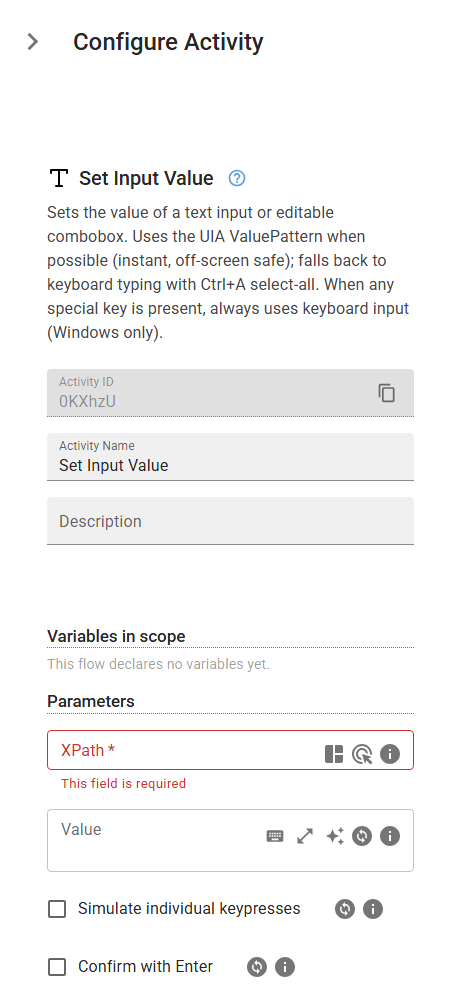
Example
SetElementValue("<xPath>", keysToSend="<keysToSend>", confirmWithEnter=False, deselectWithArrowRight=False, selectAllKeys="<selectAllKeys>", copyKeys="<copyKeys>", pasteKeys="<pasteKeys>", checkOrphanedElements=False)
Inputs
| Name | Type | Required | Default | Description |
|---|---|---|---|---|
| XPath | string | Yes | XPath expression that identifies the target element. | |
| Value | string | Value to set. Plain text uses the UIA ValuePattern when available; adding any special key (e.g. Enter, Tab, Control+a) forces keyboard input for the whole sequence. Key chords use Playwright notation: "Control+a", "Alt+F4". | ||
| Confirm with Enter | boolean | False | Press Enter after typing. Required for controls like the Windows Explorer address bar that need Enter to commit the value. | |
| Deselect with arrow Right | boolean | False | Press Right after checking the value, to drop the selection the check leaves behind. Leave off unless a following activity types into this field without clicking it first: some apps (Visual FoxPro and Delphi grids) read Right as 'next field' and move focus, committing the row. | |
| Select-all shortcut | string | Overrides Ctrl+A, used to select what the value replaces. Set it for older UIs (Visual FoxPro, Delphi, terminal emulators) that ignore Ctrl+A. Separate several chords with a space, e.g. Control+End Control+Shift+Home. Leave empty for Ctrl+A. | ||
| Copy shortcut | string | Overrides Ctrl+C, used to read the field back and confirm the value arrived. The same UIs copy with Control+Insert. Leave empty for Ctrl+C. | ||
| Paste shortcut | string | Overrides Ctrl+V, used to put the value in. The same UIs paste with Shift+Insert. Leave empty for Ctrl+V. | ||
| Check orphaned elements | boolean | False | When the element is not found by its XPath, scan the parent window's area for elements detached from the UI Automation tree. Slower; enable only for windows known to orphan their elements. |