Get Resource Info
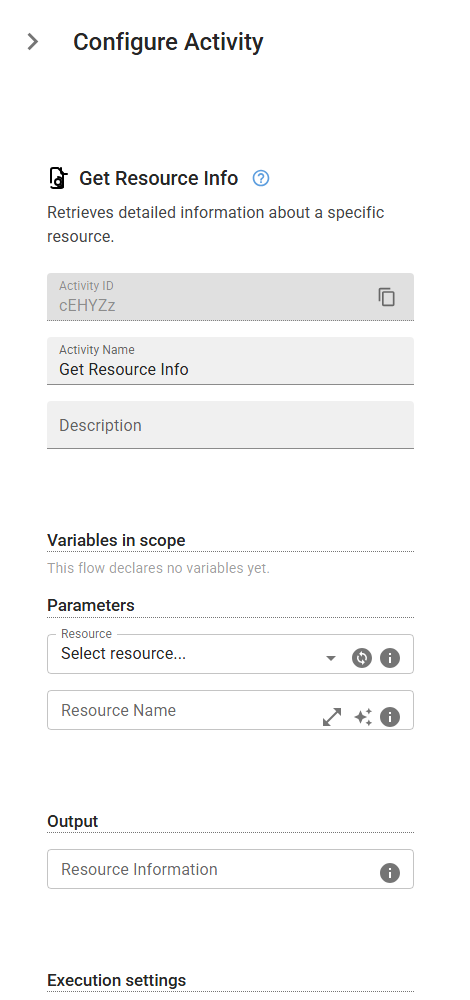
Retrieves detailed information about a specific resource.
Category: File & Folder Operations · Group: Files · Activity name: GetResourceInfo
Example
outputVariable = GetResourceInfo(resourceId="<resourceId>", resourceName="<resourceName>")
Inputs
| Name | Type | Required | Default | Description |
|---|---|---|---|---|
| Resource | resource | The resource to get information about. Either this or Resource Name must be provided. | ||
| Resource Name | string | Alternative to Resource dropdown. Exact name match within the project. Workflows using this will break if the resource is renamed. |
Outputs
| Name | Type | Description |
|---|---|---|
| outputVariable | json | Resource object containing: - resource_id: Unique resource identifier - name: Resource display name - description: Optional description - type: Resource type (document, image, data, config, other) - mime_type: MIME type (e.g., "text/csv", "application/pdf") - size: File size in bytes - folder: Folder name (if organized) - tags: Array of tag strings - created_at: Creation timestamp - updated_at: Last update timestamp - metadata: Object with original_filename and checksum Access fields using: {{resourceInfo["name"]}} to get the resource name. {{resourceInfo["size"]}} to get the file size. {{resourceInfo["metadata"]["original_filename"]}} to get the original filename. |