Upload Resource
Uploads a file as a resource to the project, making it available for use throughout the workflow.
Category: File & Folder Operations · Group: Files · Activity name: UploadResource
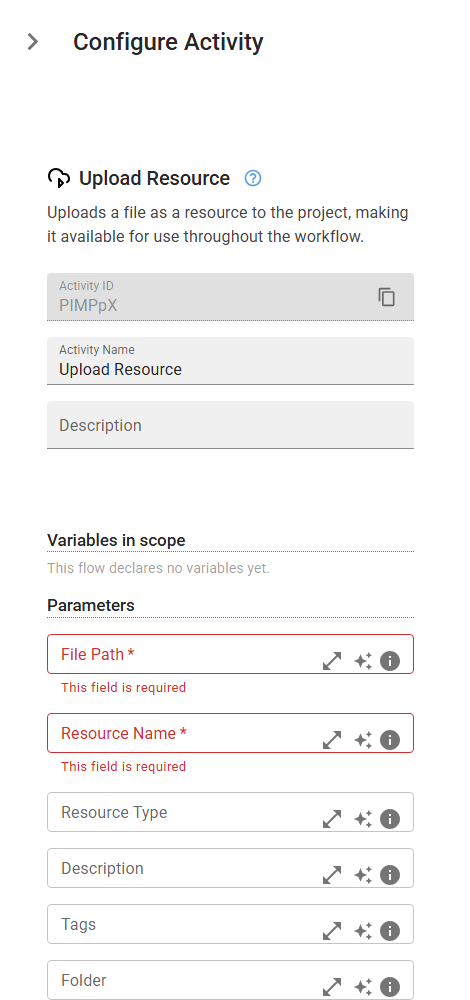
Example
outputVariable = UploadResource("<filePath>", "<resourceName>", resourceType="<resourceType>", description="<description>", tags="<tags>", folder="<folder>")
Inputs
| Name | Type | Required | Default | Description |
|---|---|---|---|---|
| File Path | string | Yes | The full system path of the file to upload as a resource. | |
| Resource Name | string | Yes | A friendly name for the resource (e.g., 'Customer Data CSV'). | |
| Resource Type | string | Type of the resource (e.g., 'document', 'image', 'data', 'config', 'other'). | ||
| Description | string | Optional description of the resource. | ||
| Tags | string | Comma-separated tags for categorizing the resource (e.g., 'data,csv,customers'). | ||
| Folder | string | Folder to organize the resource into (e.g., 'invoices', 'reports'). |
Outputs
| Name | Type | Description |
|---|---|---|
| outputVariable | string | Variable to store the unique resource ID for later reference. |