Google Drive Write Spreadsheet
Writes data to a specific range in a Google Spreadsheet using the Google Sheets API.
Category: Google Drive & Gmail · Group: Google Drive · Activity name: GoogleDriveWriteSpreadsheet
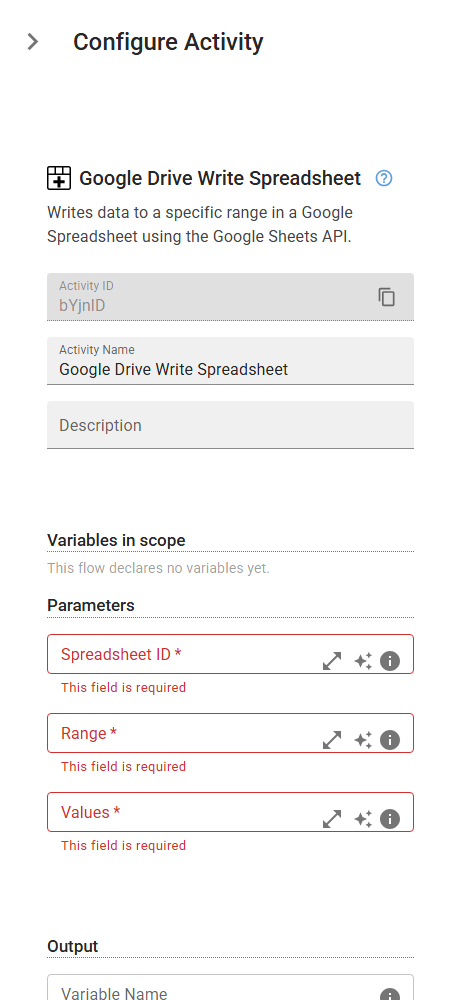
Example
outputVariable = GoogleDriveWriteSpreadsheet("<spreadsheetId>", "<range>", values="<values>")
Inputs
| Name | Type | Required | Default | Description |
|---|---|---|---|---|
| Spreadsheet ID | string | Yes | The unique identifier of the Google Spreadsheet you want to write to. You can find it in the spreadsheet's URL. | |
| Range | string | Yes | The cell range to write to, in A1 notation (e.g., 'Sheet1!A1:C5'). The range must match the shape of the input data. | |
| Values | string | Yes | An array of arrays representing the rows and columns of data to write (e.g., [["Name", "Age"], ["Alice", 30]]). |
Outputs
| Name | Type | Description |
|---|---|---|
| outputVariable | json | The name of the variable that will store the result of the write operation, including the updated range and number of cells modified. |