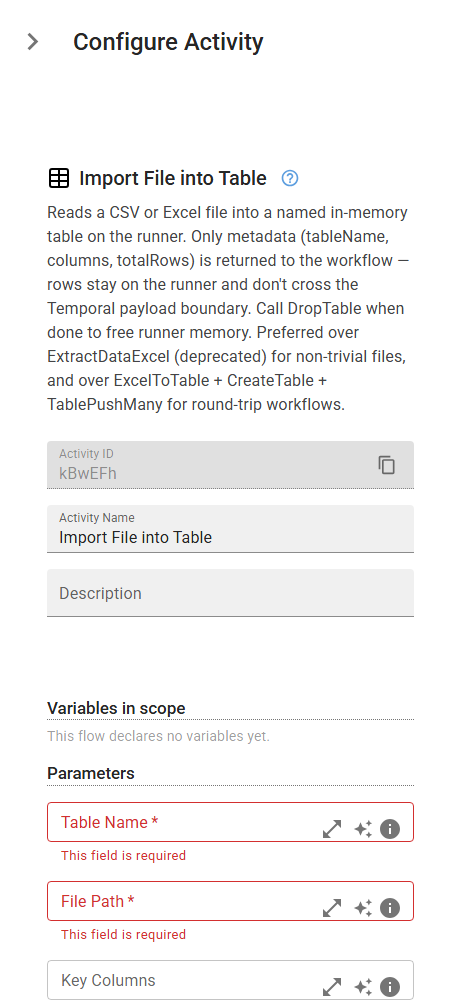
Import File into Table
Reads a CSV or Excel file into a named in-memory table on the runner. Only metadata (tableName, columns, totalRows) is returned to the workflow — rows stay on the runner and don't cross the Temporal payload boundary. Call DropTable when done to free runner memory. Preferred over ExtractDataExcel (deprecated) for non-trivial files, and over ExcelToTable + CreateTable + TablePushMany for round-trip workflows.
Category: Named Tables & Rules Engine · Group: Tables · Activity name: TableImport
Example
outputVariable = TableImport("<tableName>", "<filePath>", keyColumns={}, format="auto", sheetName="Sheet1", sheetIndex=0, rowToSkip=1, delimiter=",")
Inputs
| Name | Type | Required | Default | Description |
|---|---|---|---|---|
| Table Name | string | Yes | Name for the imported table. If a table with this name already exists in the session, it is overwritten. | |
| File Path | string | Yes | Path to the source CSV or .xlsx file. | |
| Key Columns | json | Key column names as an array of strings, e.g. ["OrderId"]. Required if the table will be used for upserts; can be set later via SetTableKeyColumns. | ||
| Format | string | auto | Input format. 'auto' infers from the file extension. One of: auto, csv, xlsx. | |
| Sheet Name | string | Sheet1 | Excel sheet to read. Takes precedence over sheetIndex when both are set. Ignored for CSV. | |
| Sheet Index | integer | Excel sheet index (0-based). Used only when sheetName is not provided. Ignored for CSV. | ||
| Header Row | integer | 1 | Row number (1-based) to treat as the header row. Data rows start immediately after. | |
| CSV Delimiter | string | , | Field delimiter for CSV input. Ignored for Excel. |
Outputs
| Name | Type | Description |
|---|---|---|
| outputVariable | json | Stores import result (tableName, columns, totalRows). |