Query Table
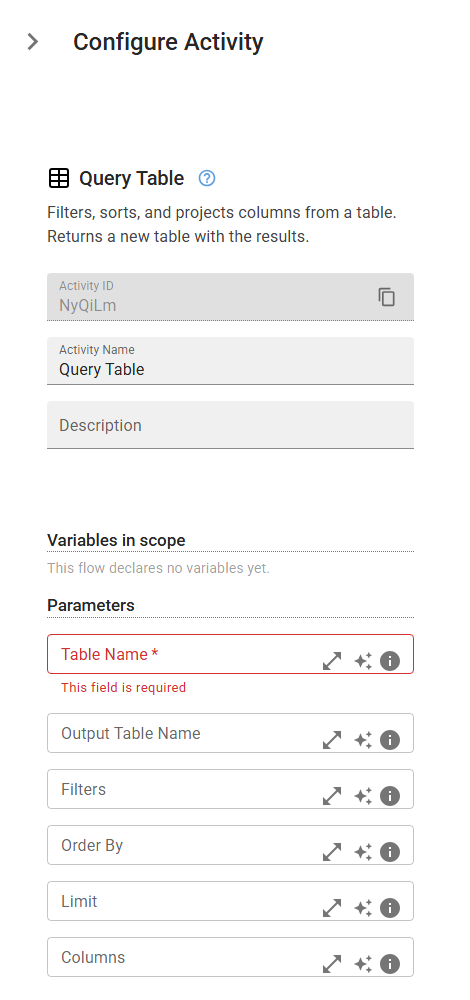
Filters, sorts, and projects columns from a table. Returns a new table with the results.
Category: Named Tables & Rules Engine · Group: Tables · Activity name: TableQuery
Example
outputVariable = TableQuery("<tableName>", outputTable="<outputTable>", filters={}, orderBy={}, limit=0, columns={})
Inputs
| Name | Type | Required | Default | Description |
|---|---|---|---|---|
| Table Name | string | Yes | Name of the table to query. | |
| Output Table Name | string | Name for the result table. If omitted, overwrites the source table. | ||
| Filters | json | Filter conditions as [{column, op, value}]. Operators: eq, neq, gt, gte, lt, lte, in, not_in, empty, not_empty, contains. | ||
| Order By | json | Sort specification as [{column, desc}]. desc is optional (default false). | ||
| Limit | integer | Maximum number of rows to return. | ||
| Columns | json | Column names to include in the result (projection). If omitted, all columns are included. |
Outputs
| Name | Type | Description |
|---|---|---|
| outputVariable | json | Stores {tableName, columns: [...], rows: [...]} — the filtered rows as a binding. Use output.rows directly in expressions (e.g. filter(output.rows, ...), map(output.rows, .x)). Rows live in in-memory bindings; Temporal history stores only a count-only preview. |