Microsoft 365 Email
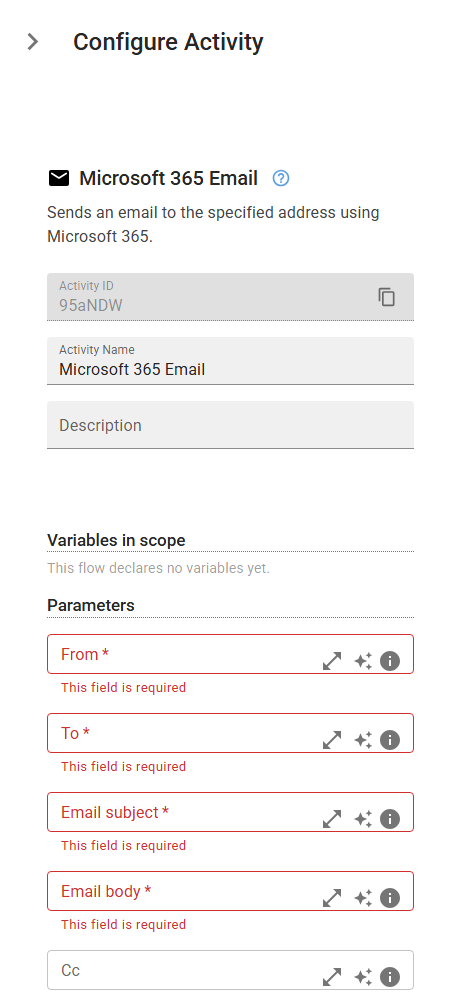
Sends an email to the specified address using Microsoft 365.
Category: Microsoft Office 365 & OneDrive · Group: Office 365 · Activity name: Microsoft365Email
Example
outputVariable = Microsoft365Email("<fromAddress>", "<toRecipients>", emailSubject="<emailSubject>", emailBody="<emailBody>", ccRecipients="<ccRecipients>", bccRecipients="<bccRecipients>", attachments=[])
Inputs
| Name | Type | Required | Default | Description |
|---|---|---|---|---|
| From | string | Yes | The email from which the message will be sent. The sender's email. | |
| To | string | Yes | The email to whom the message will be sent. The recipient's email. | |
| Email subject | string | Yes | The subject of the email to be sent. | |
| Email body | string | Yes | The body of the email to be sent. | |
| Cc | string | Recipient emails to add to Cc. Use ; to separate multiple emails. | ||
| Bcc | string | Recipient emails to add to Bcc. Use ; to separate multiple emails. | ||
| Attachments | array | List of file paths to include as email attachments. |
Outputs
| Name | Type | Description |
|---|---|---|
| outputVariable | string | Specifies the name of the variable that will store email conversation id. |