Get Execution Info
Retrieves data about the currently running execution, including its ID, run ID, and assigned task queue.
Category: Variables & Data Assignment · Group: General · Activity name: GetExecutionInfo
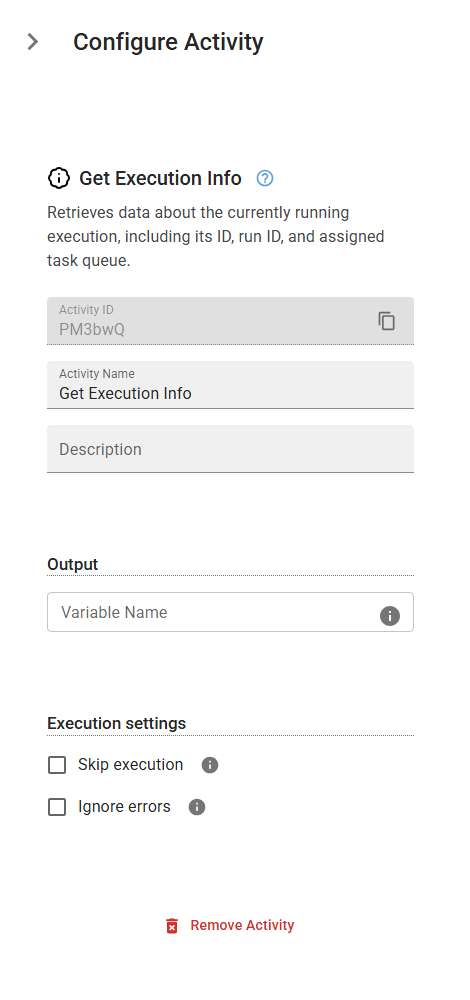
Example
outputVariable = GetExecutionInfo()
Outputs
| Name | Type | Description |
|---|---|---|
| outputVariable | json | Specifies the name of the variable that will store execution-related metadata. This variable contains the following fields: - workflowId: The unique ID of the workflow instance. - runId: The specific execution run ID of the workflow. - taskQueue: The task queue that this workflow is assigned to. - hour: The hour (0-23) when the activity was executed. - minute: The minute (0-59) when the activity was executed. - second: The second (0-59) when the activity was executed. - weekday: The day of the week when the activity was executed (e.g., "Monday"). You can access these fields using: {{variableName["workflowId"]}} to get the workflow ID. {{variableName["runId"]}} to retrieve the run ID. {{variableName["taskQueue"]}} to access the task queue name. {{variableName["hour"]}} to access the hour of execution. {{variableName["minute"]}} to access the minute of execution. {{variableName["second"]}} to access the second of execution. {{variableName["weekday"]}} to access the weekday of execution. |