Key Down
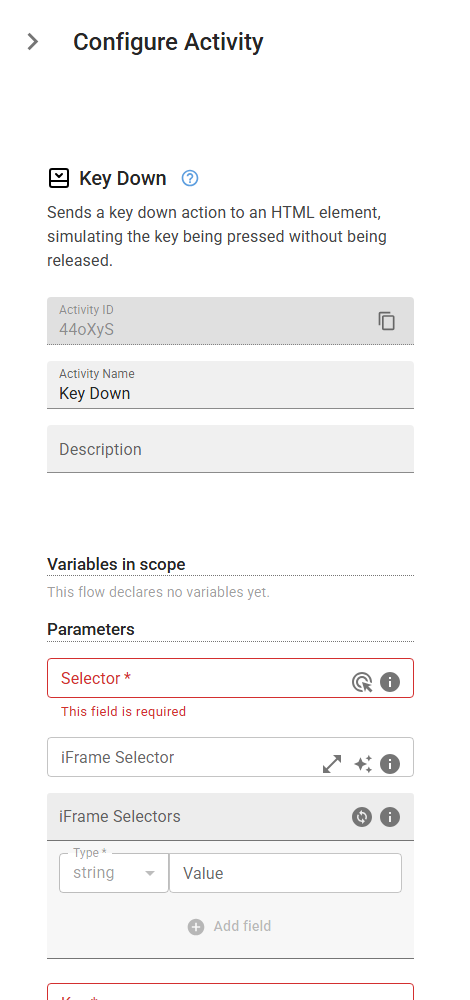
Sends a key down action to an HTML element, simulating the key being pressed without being released.
Category: Web Element Interaction · Group: Web · Activity name: KeyDown
Example
KeyDown("<selector>", "<key>", iframeSelector="<iframeSelector>", iframeSelectors=[])
Inputs
| Name | Type | Required | Default | Description |
|---|---|---|---|---|
| Selector | string | Yes | CSS selector or XPath to identify the web element. | |
| iFrame Selector | string | CSS selector or XPath to locate the iframe containing the target element. Leave empty if the element is not inside an iframe. | ||
| iFrame Selectors | array | An ordered array of CSS selectors or XPaths to locate nested iframes containing the target element. Provide selectors in order from outermost to innermost iframe (e.g., ['#parent-frame', '.child-frame'] for an element inside a child iframe that's within a parent iframe). Leave empty if the element is not inside any iframes. | ||
| Key | string | Yes | Key to be sent to the specified element to be pressed down. Examples of the keys are: F1 - F12, Digit0- Digit9, 0-9, KeyA- KeyZ, a-z, Backquote, Minus, Equal, Backslash, Backspace, Tab, Delete, Escape, ArrowDown, End, Enter, Home, Insert, PageDown, PageUp, ArrowRight, ArrowUp, etc. Following modification shortcuts are also supported: Shift, Control, Alt, Meta, ShiftLeft. |