Key Down Up
Simulates a keypress, including both the key-down and key-up events, for a specified key or a combination of keys on an HTML element. Supports function keys, alphanumeric keys, and keyboard shortcuts with modifiers (such as Control, Alt, or Shift).
Category: Web Element Interaction · Group: Web · Activity name: KeyDownUp
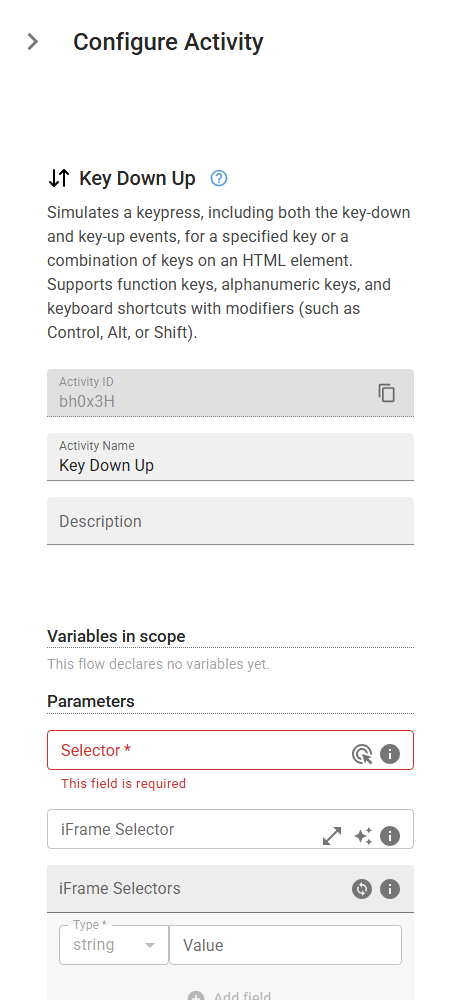
Example
KeyDownUp("<selector>", iframeSelector="<iframeSelector>", iframeSelectors=[], key="<key>")
Inputs
| Name | Type | Required | Default | Description |
|---|---|---|---|---|
| Selector | string | Yes | CSS selector or XPath to locate the HTML input, textarea, or other editable element where the text will be entered. | |
| iFrame Selector | string | CSS selector or XPath to locate the iframe containing the target element. Leave empty if the element is not inside an iframe. | ||
| iFrame Selectors | array | An ordered array of CSS selectors or XPaths to locate nested iframes containing the target element. Provide selectors in order from outermost to innermost iframe (e.g., ['#parent-frame', '.child-frame'] for an element inside a child iframe that's within a parent iframe). Leave empty if the element is not inside any iframes. | ||
| Key or key combination | string | Specifies the key or a combination of keys to be pressed. Supported keys include: - Function keys: F1-F12 - Alphanumeric keys: 0-9, a-z, A-Z - Special keys: Backspace, Tab, Enter, Escape, Delete, ArrowUp, ArrowDown, ArrowLeft, ArrowRight, etc. - Modifier keys: Shift, Control, Alt, Meta - Key combinations: Control+O, Shift+Tab, Control+Shift+T, t+e+s+t+1 When using combinations, modifier keys are held while subsequent keys are pressed and released in sequence. |