Start Browser
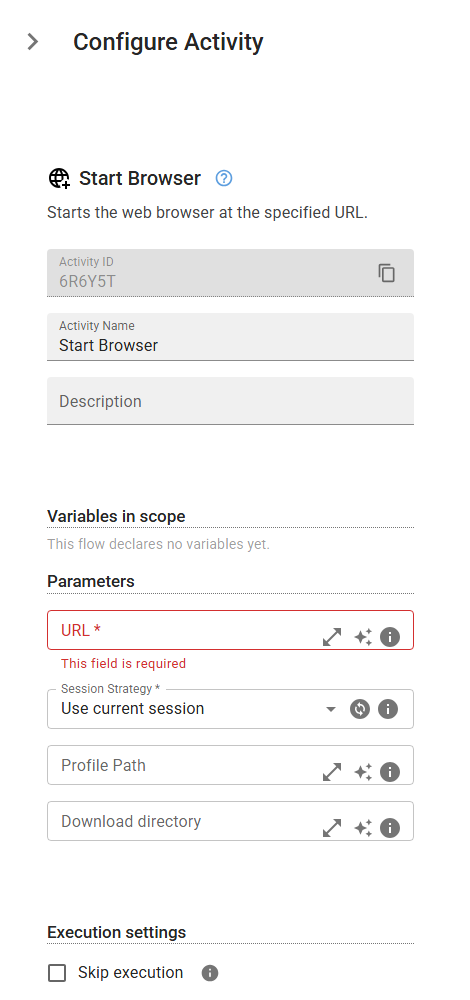
Starts the web browser at the specified URL.
Category: Web Browser Navigation · Group: Web · Activity name: StartWebBrowser
Example
StartWebBrowser("<url>", "useCurrentBrowserSession", profilePath="<profilePath>", playwrightDownloadPath="<playwrightDownloadPath>")
Inputs
| Name | Type | Required | Default | Description |
|---|---|---|---|---|
| URL | string | Yes | The URL to be opened. | |
| Session Strategy | string | Yes | useCurrentBrowserSession | Control how the browser session is handled when this activity runs. You can choose to reuse an existing session, start a fresh one, or start a new session that inherits data from the previous session or a saved local profile. This setting determines whether browser state — such as cookies, login sessions, and local storage — is continued, reset, or restored. This option is not supported when running the workflow using the browser extension. One of: useCurrentBrowserSession, newBrowserSession, newBrowserSessionWithCurrentContext, newBrowserSessionWithLocalProfile. |
| Profile Path | string | Full file path to the local profile (e.g. for Chrome, C:\Users\YourName\AppData\Local\Google\Chrome\User Data). Only used when Session Strategy is "New session with local profile". | ||
| Download directory | string | Specify the folder where downloaded files will be saved. This option is not supported when running the workflow using the browser extension. |