Execute JavaScript
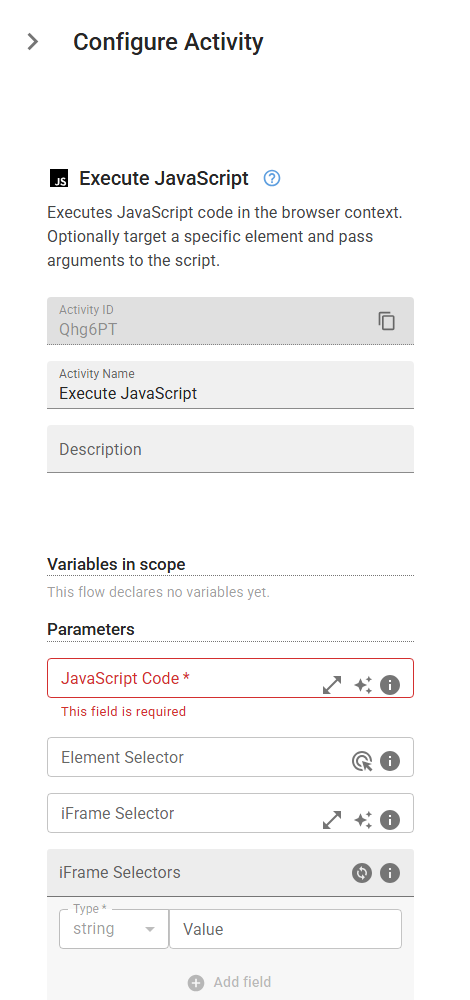
Executes JavaScript code in the browser context. Optionally target a specific element and pass arguments to the script.
Category: Web Scraping & Data Extraction · Group: Web · Activity name: ExecuteJavaScript
Example
outputVariable = ExecuteJavaScript("<script>", selector="<selector>", iframeSelector="<iframeSelector>", iframeSelectors=[], args=[], timeout=0.0)
Inputs
| Name | Type | Required | Default | Description |
|---|---|---|---|---|
| JavaScript Code | string | Yes | The JavaScript code to execute in the browser. The script can return a value that will be stored in the output variable. | |
| Element Selector | string | Optional CSS selector or XPath to identify a specific element. If provided, the element will be available as the first argument in your script. | ||
| iFrame Selector | string | CSS selector or XPath to locate the iframe containing the target element. Leave empty if the element is not inside an iframe. | ||
| iFrame Selectors | array | An ordered array of CSS selectors or XPaths to locate nested iframes containing the target element. Provide selectors in order from outermost to innermost iframe. Leave empty if the element is not inside any iframes. | ||
| Script Arguments | array | Optional array of arguments to pass to your JavaScript code. These will be available as function parameters in your script. | ||
| Timeout (seconds) | float | Maximum time to wait for script execution to complete. If not specified, uses the default timeout. |
Outputs
| Name | Type | Description |
|---|---|---|
| outputVariable | string | The name of the variable that will store the result returned by the JavaScript code. |