Using Rinkt
The reference in this site tells you what exists. This section tells you where it is.
The shape of it
You build a workflow in the designer. A robot — a runner you install on a machine you control — executes it. Every run lands in executions, with its logs, the values each step ran with, screenshots and a recording. Schedules and webhooks start runs without you.
Nothing in that chain is optional: a workflow with no online robot has nowhere to run, and a run that fails leaves its evidence in executions rather than in an email.
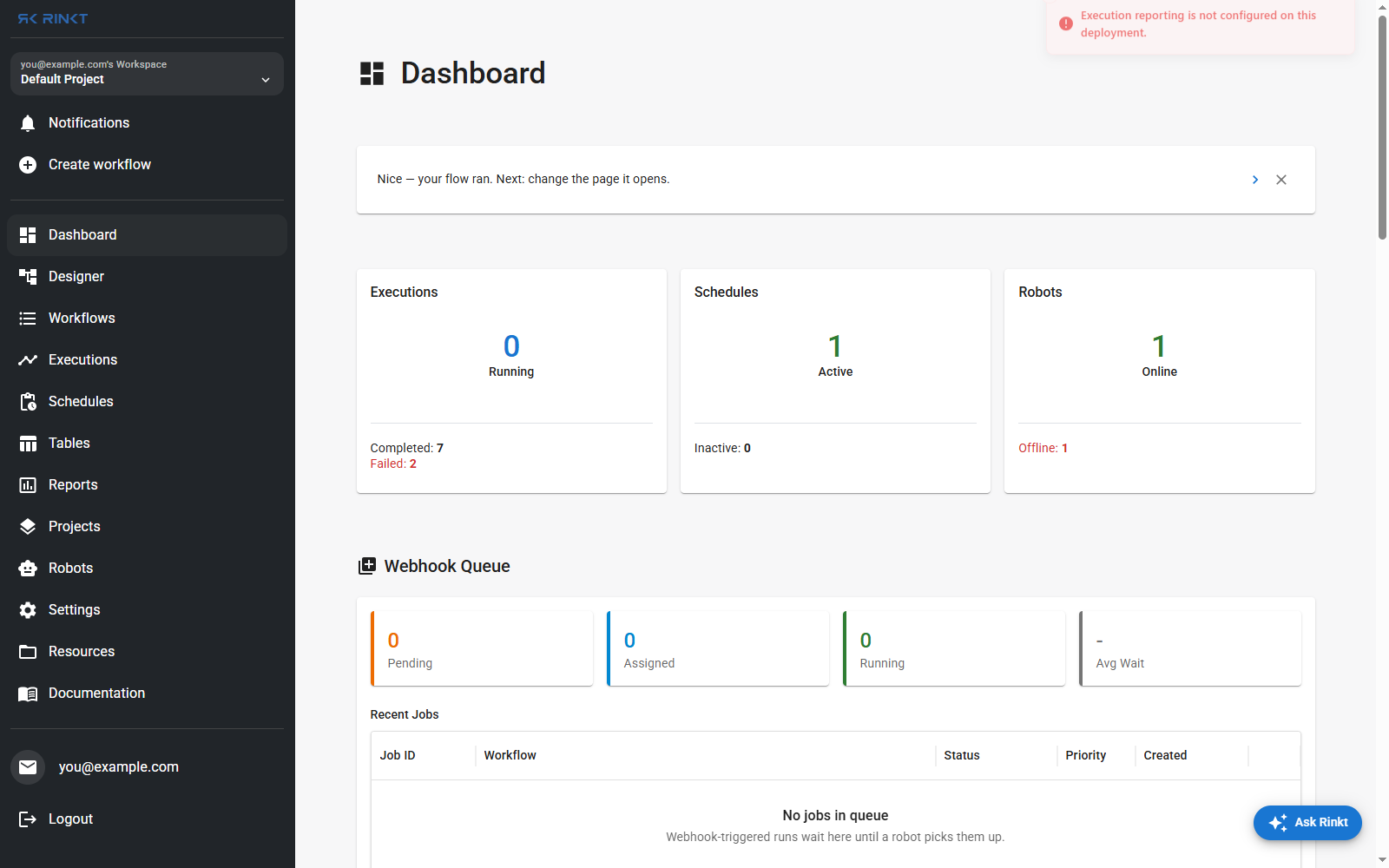
The dashboard counts what is in flight — runs, active schedules, robots online — and shows the webhook queue, where webhook-triggered runs wait until a robot picks them up.
The sidebar
| What it holds | |
|---|---|
| Dashboard | Runs, schedules and robots at a glance, plus the webhook queue |
| Designer | Where a workflow is built and edited |
| Workflows | Every workflow you own or that is shared with you |
| Executions | Every run, filtered by status |
| Schedules | Cron schedules and when they next fire |
| Tables | Named tables workflows read and write |
| Reports | Charts over runs, activities and tables |
| Projects | Grouping for workflows, and the project a run belongs to |
| Robots | The runners, their status and version |
| Settings | Organizations, environments, API keys, mailing lists, queues |
| Resources | Files a run reads or writes |
| Documentation | This site |
Where to go next
- Building a workflow — the designer, screen by screen
- Running and watching a run — run, debug, and what a finished run leaves behind
- Worked examples — four workflows that were built, run and checked
- Writing workflows — the language the Code tab shows