Running and watching a run
Starting a run
Run in the designer header starts the workflow on a robot. Debug starts it with the debugger attached, so breakpoints set in the Code tab stop it and let you step through.
A run needs an online robot — see Robots. A workflow whose steps all touch the web can also run headless, which is faster and has no window to fight over; a workflow that drives a desktop application cannot.
Once a run starts, a strip appears under the header with its status, how long it took, Open run, and Run again. That strip stays after the run finishes, which is the fastest way back into a run you have just watched fail.
Executions
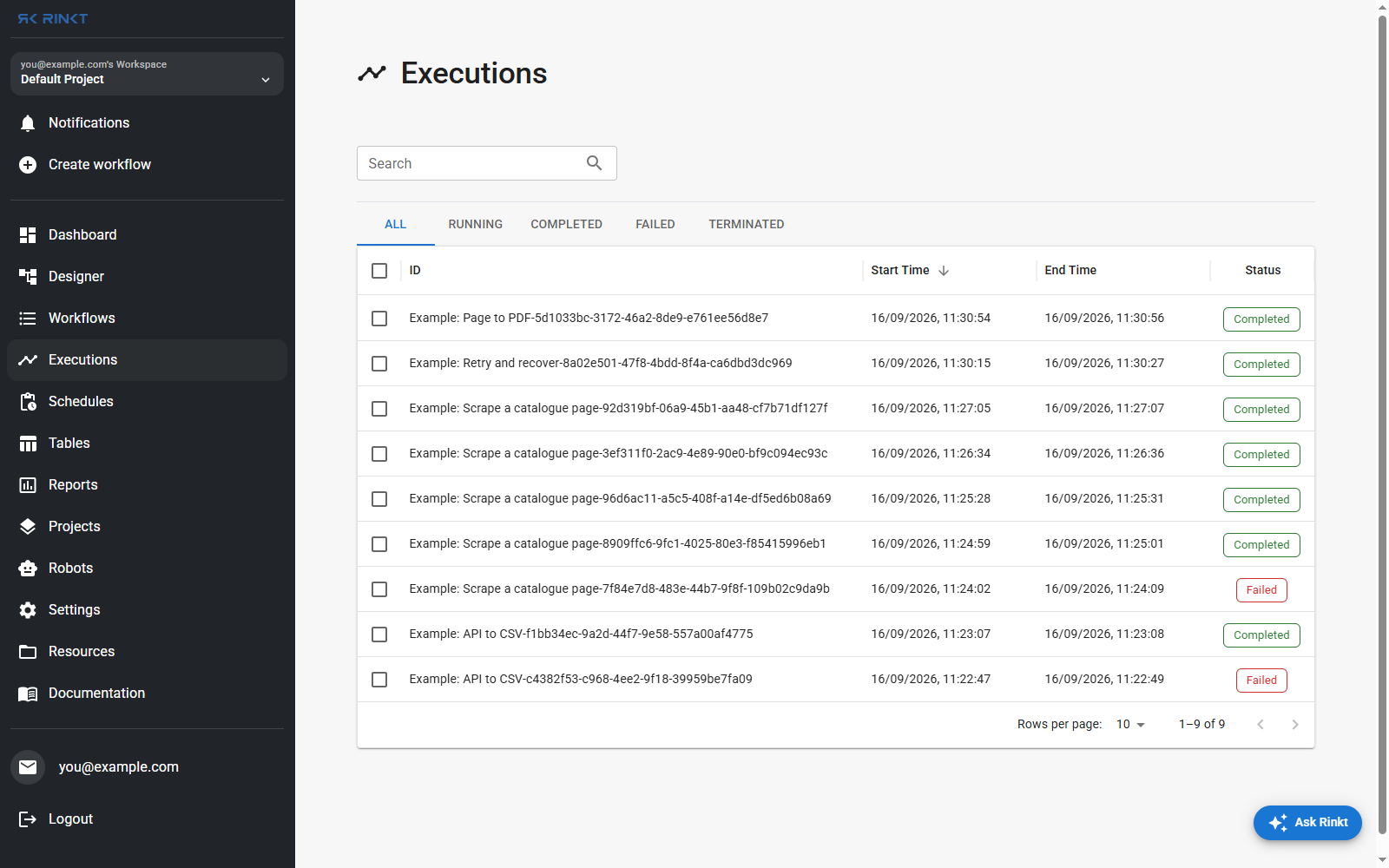
Every run, newest first, filtered by All, Running, Completed, Failed or Terminated. The ID column carries the workflow's name and the run's own id — the id you quote when asking about a particular run.
The two Failed rows in the screenshot are real: they are the first attempts at two of the
worked examples, before the mistakes described on those pages were fixed.
That is what the list is for.
What a finished run leaves behind
A run is not only a status. Per run, the platform keeps:
- Activity logs — every step started and completed, with the value it produced.
- Resolved inputs — what each step actually ran with, after expressions were evaluated.
An input logged as
{{ endpoint }}is followed back to the step that producedendpoint. - The failure envelope, when a step fails — the error classification, the selector that could not be resolved and how many elements it matched when re-queried at failure time, the page URL, and any dialog that was blocking it.
- Screenshots and, when recording is on, a video of the run.
All of it is readable from an AI assistant over MCP, which is the fastest way to ask why a run broke rather than reading the log yourself.
Re-running
Run again repeats the run. A run can also be replayed from the input that produced it, which matters when the trigger was a webhook and the payload is the thing you want back.